Work with leads
Updated October 31, 2026 · Applies to Rolodex ONE 1.34
A lead is possible business that isn't vetted yet, such as someone who filled in a form or a name from a trade show. New leads wait for the sales staff. Whoever takes a lead works it: they qualify it into a contact, a company and an opportunity, or disqualify it.
Prerequisites
- To take and import leads: be one of the sales staff, or an administrator. Your administrator chooses the sales teams; until they do, managers are the sales staff.
Find leads
-
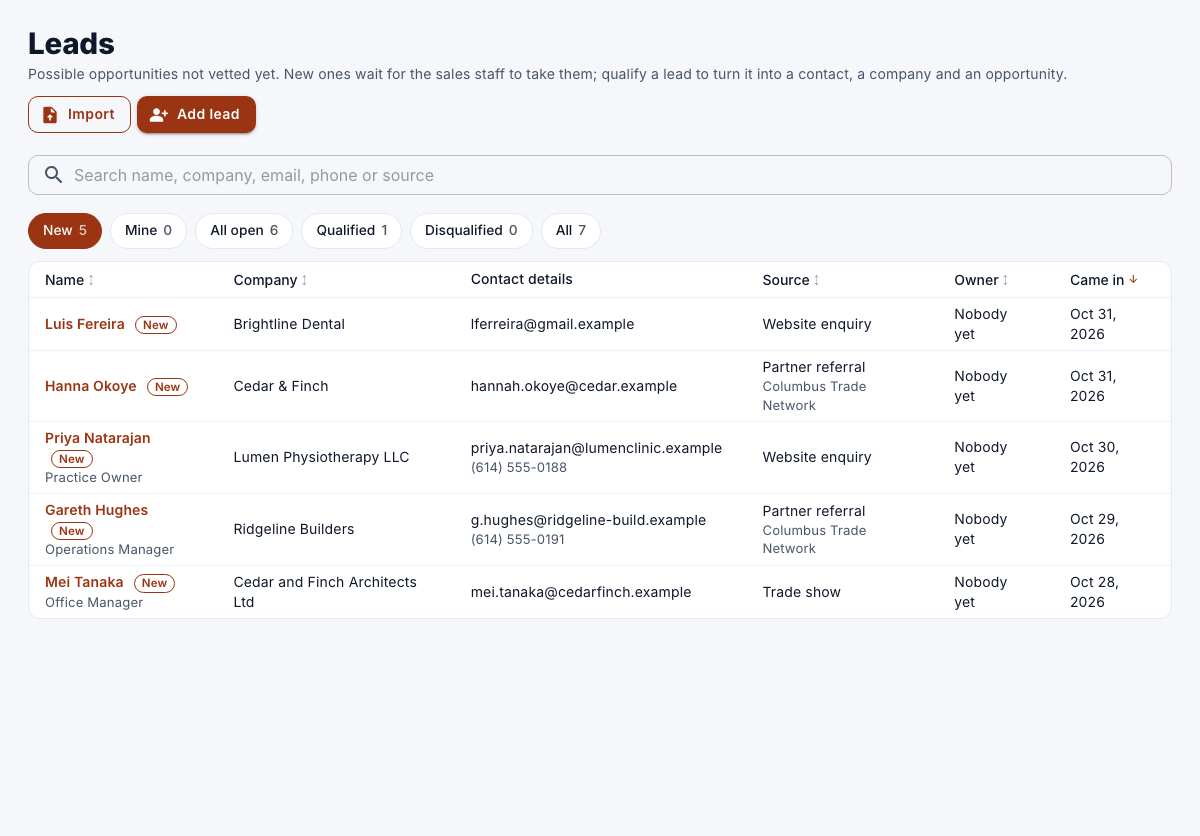
In the menu, under Workspace, select Leads.
-
Search by name, company, email, phone or source.
-
Choose a view: New, Mine, All open, Qualified, Disqualified or All.
Add a lead
- On Leads, select Add lead.
- Enter a name or a company, and optionally the Job title, Email, Phone, Website, Address, Source (for example "Trade show") and Partner (who sent it).
- Select Save.
Without an owner, it waits among the new leads for the sales staff.
Take a lead
- Open a new lead, and then select Take it.
It's yours to work: you can now qualify or disqualify it.
Merge a duplicate
If a lead looks like a lead or contact already on record, its page shows Possible duplicates.
- Select Merge into this on the matching record, or Keep as a new lead.
- In the merge, choose for each field whether to keep the value on record or take the new lead's, and then select Merge.
The lead's notes and follow-ups move to the record it's merged into.
Qualify a lead
- On the lead, select Qualify.
- Under Contact, choose a contact on file or create one; under Company, choose a company on file, enter a new Company name, or leave it empty for a person on their own.
- Under Opportunity, enter What is it?, the Pipeline, Stage, Value, Currency, Expected close and Owner.
- Select Qualify.
The contact, company and opportunity are created, and the lead's notes and follow-ups move to them. You can also qualify a lead from the Pipeline board, by moving it into a stage.
Disqualify or reopen a lead
- On the lead, select Disqualify, choose a Reason, optionally add a Comment, and then select Disqualify.
A disqualified lead can be reopened with Reopen until it's removed, after the number of days your administrator set.
Import leads
- On Leads, select Import, and choose a CSV file of up to 2,000 rows (5 MB).
- Match each column of the file to a field of the lead; leave Don't import for the others.
- Select Preview.
- For each row, choose A new lead, a merge into a matching record, or Skip it.
- Select Import with the number of rows.
The new leads wait for the sales staff, unless the file named an owner.