View leave balances
Updated October 31, 2026 · Applies to PTO ONE 1.34
Leave balances shows what each person has left this year, for the types of time off that have an allowance.
Prerequisites
- The Manager or Admin role.
- Your administrator has set an allowance for at least one type of time off.
View the balances
-
In the menu, under Workspace, select Leave balances.
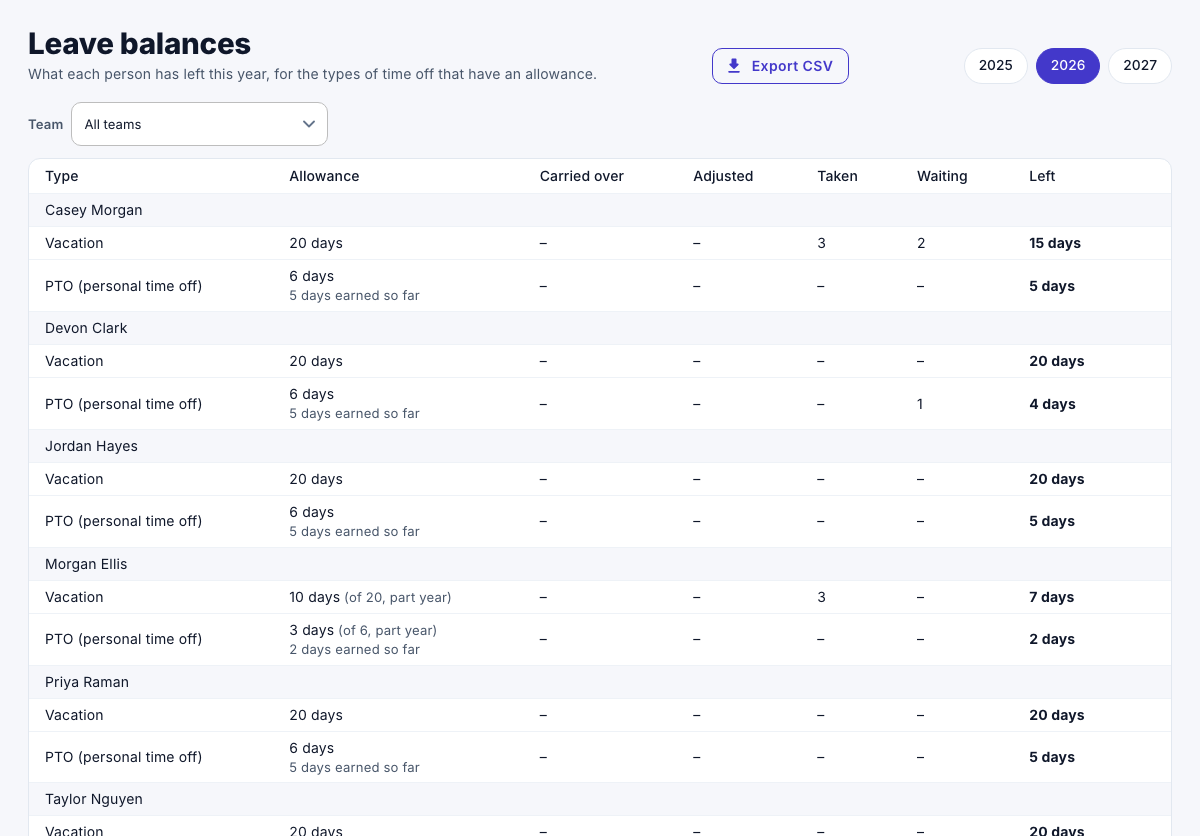
For each person and type, the page shows:
| Column | Shows |
|---|---|
| Allowance | The days for the year. (own) marks a person's own allowance; part year marks a first year that started late. With monthly accrual, it also shows what's earned so far. |
| Carried over | Unused days from last year. |
| Adjusted | Days added or taken away by an administrator. |
| Taken | Approved time off. |
| Waiting | Requests waiting for approval. |
| Left | Allowance available so far, plus carried over and adjustments, minus taken and waiting. |
Days are counted in each person's own business days. A balance can go below zero: a request over the balance is allowed, and the manager decides.
Administrators can change a person's allowance or adjust their balance with Adjust. See Manage leave balances.