View capacity
Updated October 31, 2026 · Applies to Reserve ONE 1.34
Capacity shows, per role or skill and week, the hours planned against the hours available, and the effort projects still need that has to fit.
Prerequisites
- The Manager or Admin role.
- The Professional edition of Reserve ONE.
Read capacity
-
In the menu, under Workspace, select Capacity.
-
Choose By role or By skill.
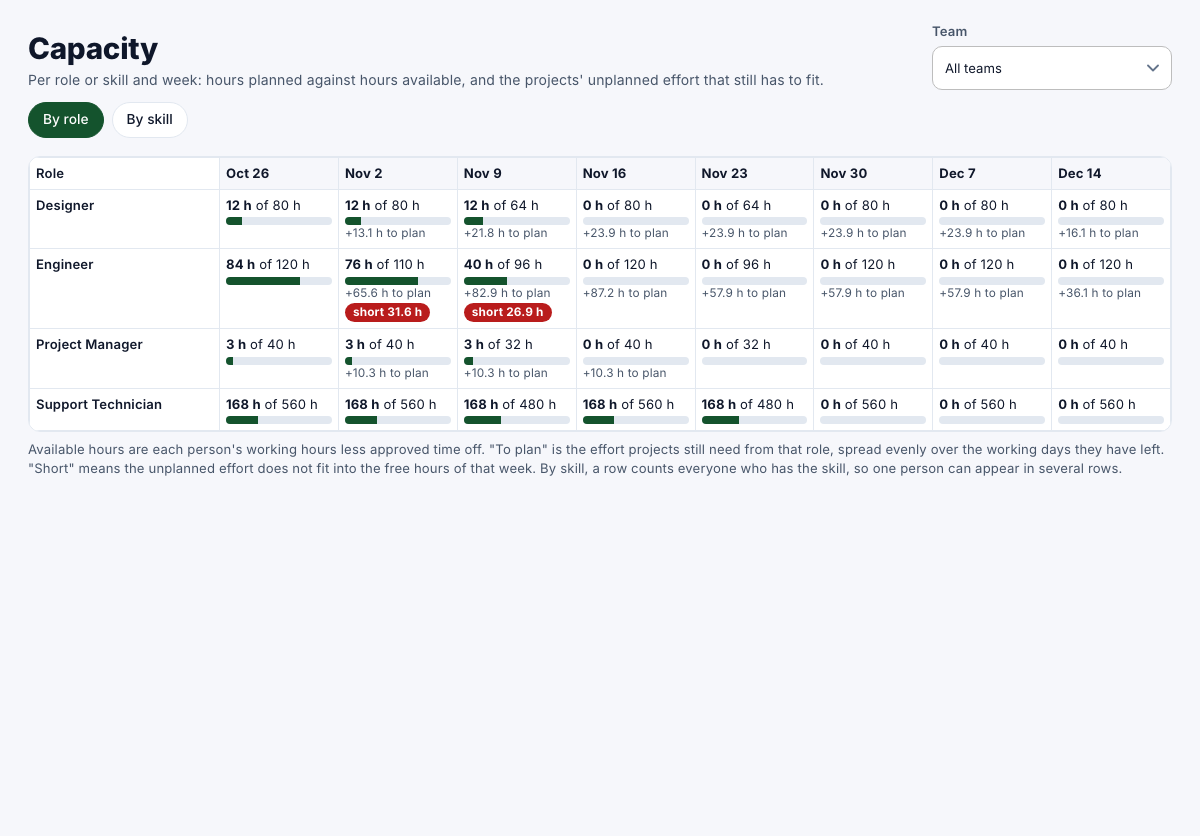
- Available hours are each person's working hours less approved time off.
- To plan is the effort projects still need from that role, spread evenly over the working days they have left.
- Short means the unplanned effort doesn't fit into the free hours of that week.
By skill, a row counts everyone who has the skill, so one person can appear in several rows.