Review the audit log
Updated October 31, 2026 · Applies to Platform ONE 1.34
The audit log records who changed what, and when, in every product, including changes made by other systems through an API key. Entries can't be edited.
Prerequisites
- The Admin role.
- Exporting the log needs the Enterprise edition. See Plans and features.
Find a change
-
In the menu, under Administration, select Audit log.
-
Narrow the list with the filters:
Filter Description Who Anyone, The system, or not signed in, or one person or API key. Record type The kind of record, or All. Action What was done, or All. From and To The dates. Contains A name or a value. 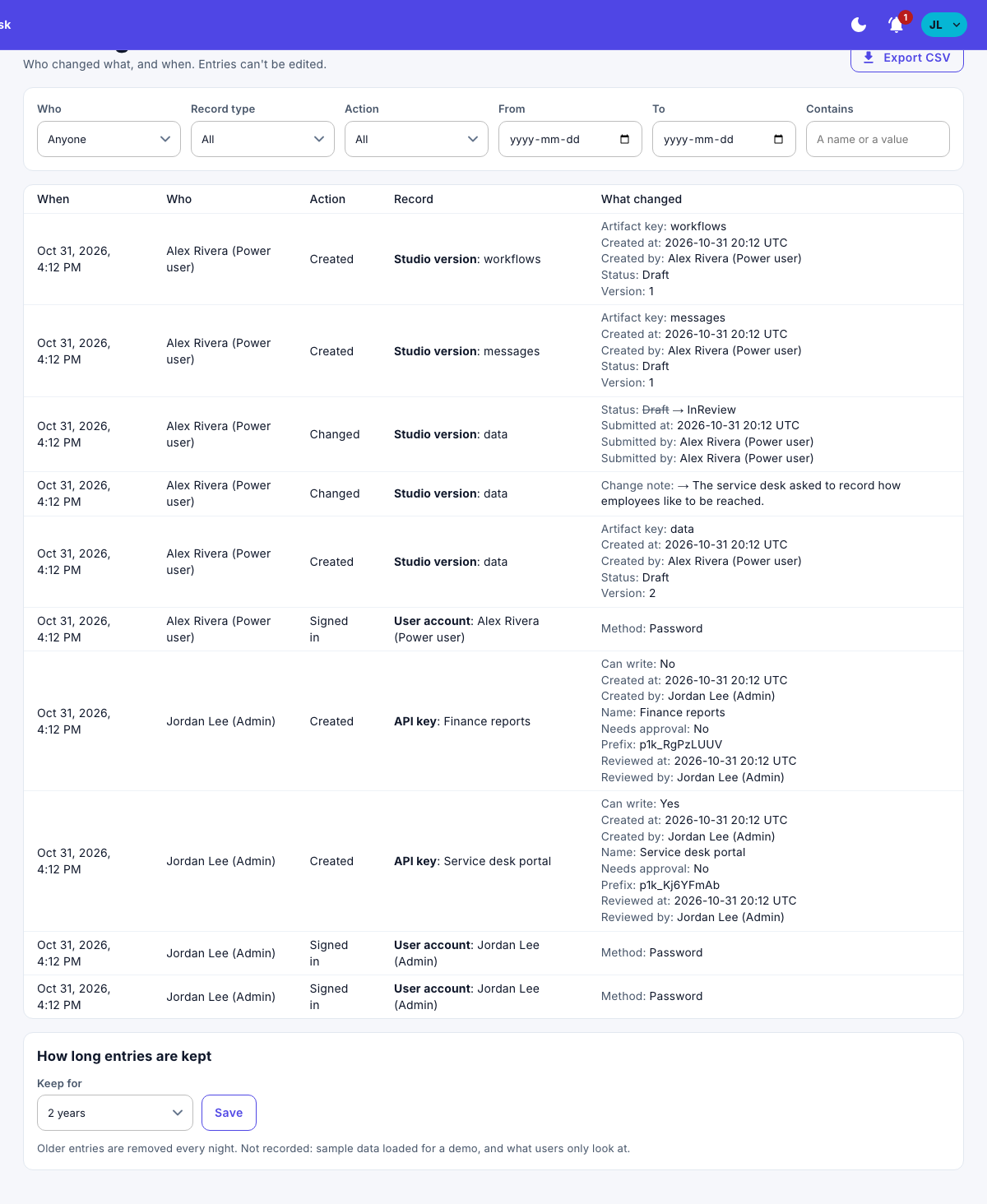
Each entry shows when, who, the action, the record, and what changed.
Export the log
- Select Export CSV.
The file holds the entries that match your filters.
Choose how long entries are kept
- Under How long entries are kept, choose Keep for: from 90 days to 7 years, or For ever.
- Select Save.
Older entries are removed every night.
Note
What people only look at isn't recorded.