Manage your subscription
Updated October 31, 2026 · Applies to Platform ONE 1.34
The Subscription page shows what your organization has: its products and their editions, the quantities you pay for, and what you use. From there, you ask ONEConsult.NET Ltd. for a change, and download all your data.
Prerequisites
- The Admin role.
See your subscription
-
In the menu, under Administration, select Subscription.
Section Shows License Its status, who it's licensed to, the renewal date, your Platform edition (the highest edition among your products), add-ons, and your web address. Products Each product, its edition and the features it includes. Platform lists what comes with every product. Usage by month The highest count of each licensed unit in each month, next to the quantity you pay for. Select Export CSV to save it. 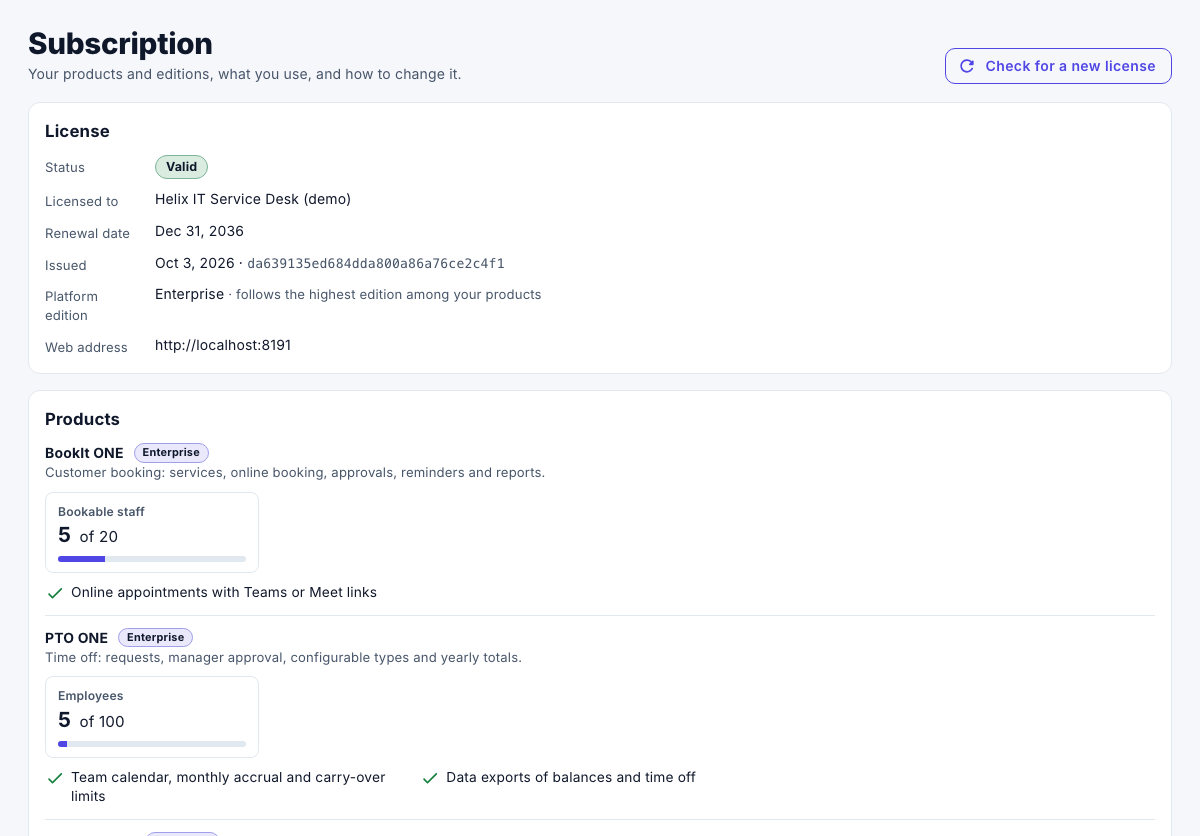
Using more than your licensed quantity doesn't stop anything: invoices for extra units are based on the monthly peak.
Request a change
- Under Request a change, choose What would you like to change?, for example Upgrade an edition, Add a product, Change quantities or Change the web address.
- Enter the Details, and then select Send request.
Your request is sent to ONEConsult.NET Ltd. by email, with your current products and usage. You get a reply within one business day. A new license then applies within minutes, with nothing to install. Select Check for a new license to see it at once.
Download all your data
- Under Your data, select Download all data (ZIP).
The file holds a CSV file for each kind of record, your Studio items, and a list of what's inside. You can download it at any time, including while a payment is overdue.
When a payment is overdue
Nothing is ever deleted because of a payment. When a payment is overdue, the page shows Payment overdue with the amount, and Pay now or Contact us. If it stays unpaid, your workspace goes through these stages, on the dates in your agreement:
| Stage | What changes |
|---|---|
| Past due | Reminders and notices only. |
| Restricted | No new users, people, locations or products, and Studio publishing is paused. |
| Read-only | Staff can view and export, but nothing can be added or changed. |
| Suspended | Only administrators can sign in, to pay and to export. |
Paying restores everything within minutes. A license that has expired, or that can't be read, also makes the workspace read-only until it's replaced.