Use the calendar
Updated October 31, 2026 · Applies to BookIt ONE 1.34
The calendar shows one day, with a column for each staff member, room or piece of equipment.
Prerequisites
- The Admin, Manager, Reception or Staff role.
Open the calendar
-
In the menu, under Workspace, select Calendar.
-
Use the arrows to see the previous or next day, or select Today.
-
Choose which kinds of resources to show, such as Staff or Rooms, pick a date, and, for administrators, a location.
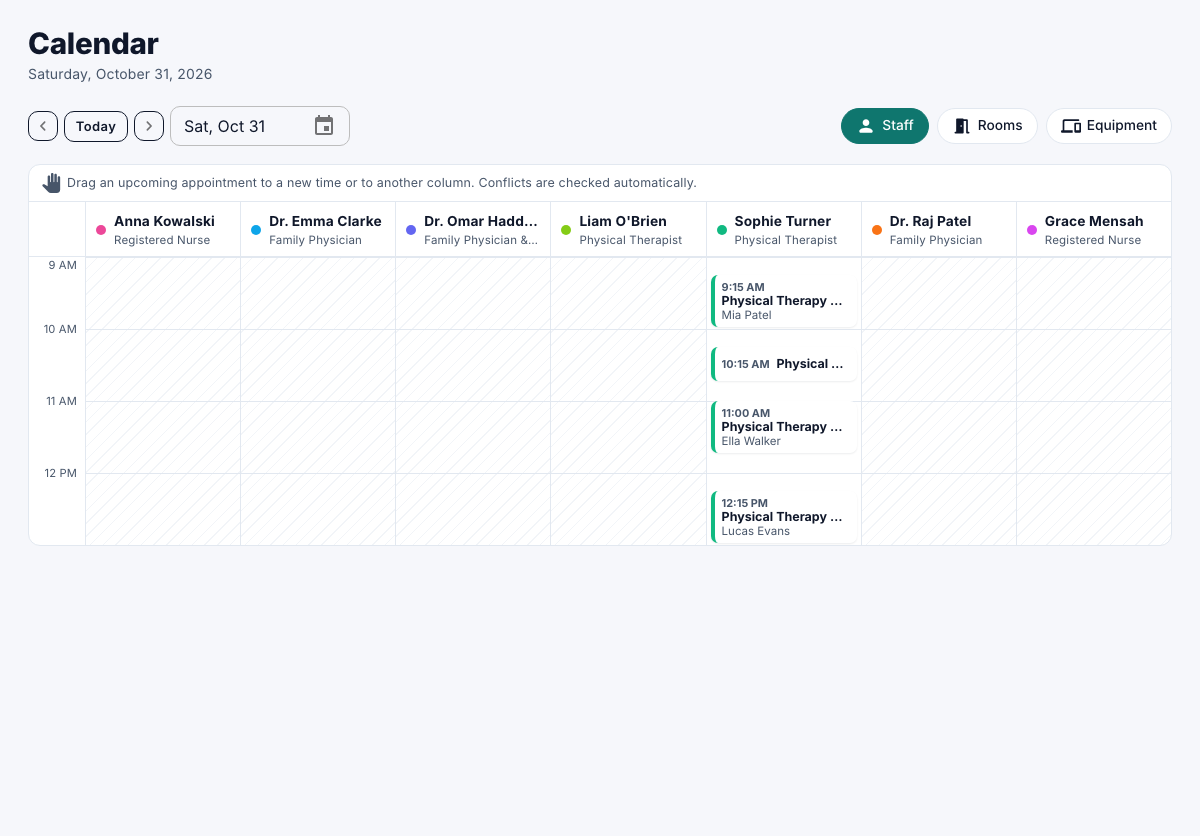
People who are off that day are listed under Time off. Select an appointment to open it. See Manage appointments.
Move an appointment
Managers, receptionists and administrators can drag a confirmed future appointment to another time or column on a computer.
- Drag the appointment to the new time or person.
If everything it needs is free, it moves, and the customer is notified. Select Undo in the message to put it back. If it can't move, the message says why.