Use the pipeline
Updated October 31, 2026 · Applies to Rolodex ONE 1.34
The pipeline board shows opportunities by stage, in columns, with the open leads first.
Prerequisites
- The Admin, Manager, Reception or Staff role.
Open the board
-
In the menu, under Workspace, select Pipeline.
-
Choose the pipeline, and All I can see or Mine.
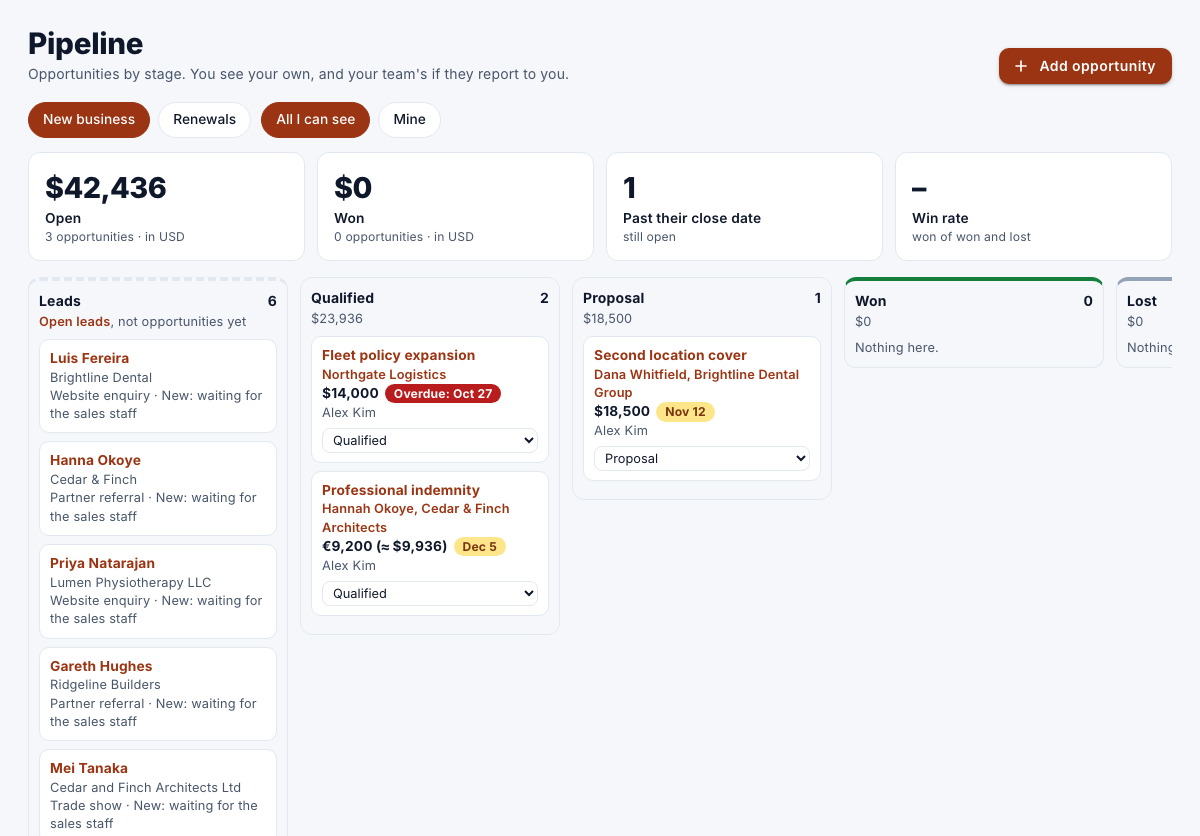
At the top:
| Figure | Shows |
|---|---|
| Open | The value and number of open opportunities. |
| Won | The value and number of won opportunities. |
| Past their close date | Open opportunities whose expected close has passed. |
| Win rate | Won, out of won and lost. |
With several currencies, totals are in your organization's base currency.
Move a card
- On a card, choose the new stage.
Qualify a lead from the board
In a pipeline that starts from leads, the first column shows the open leads.
- On a lead, choose a stage under Qualify into….
- Complete the qualify form, and then select Qualify.
You must take a lead before you can qualify it. See Work with leads.