Move record ownership
Updated October 31, 2026 · Applies to Platform ONE 1.34
Every main record has one member of staff who looks after it, its owner: for example a contact, a booking, a time off request or a project. When someone leaves or changes role, you give what they own to someone else, in every product at once.
Prerequisites
- The Admin role.
Move what one person owns
-
In the menu, under Administration, select Record ownership.
The list shows each owner and how many records they own. People who have left, or can no longer sign in, come first and are marked Has left or can no longer sign in.
-
On the person's row, select Move.
-
Under What … owns, select the kinds of record to move. Each kind shows how many there are.
-
In Give them to, choose the new owner.
-
Select Move with the number of records.
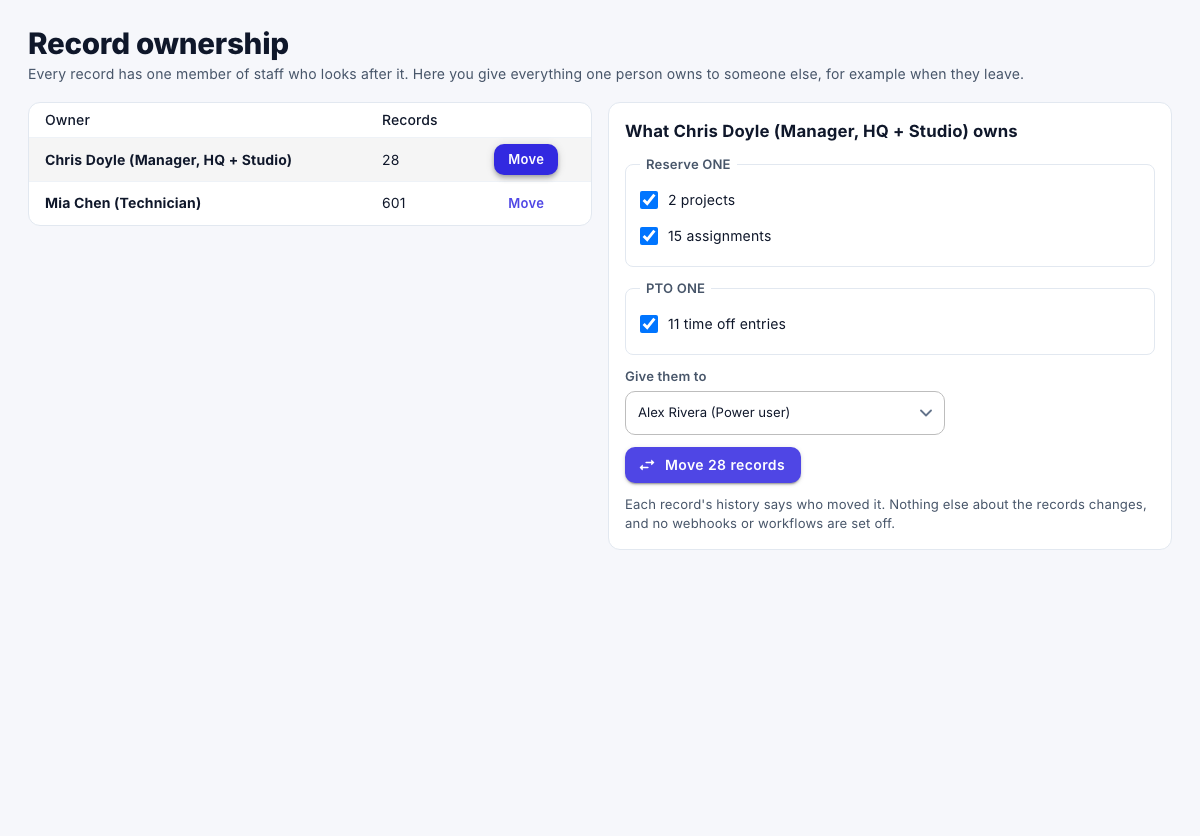
Each record's history says who moved it. Nothing else about the records changes, and no webhooks or workflows are started.
Tip
When you remove a user or a person who still owns records, a message offers Move them, which opens this page for that person.