Use the timeline
Updated October 31, 2026 · Applies to Rolodex ONE 1.34
Every contact, company, lead and opportunity has a timeline: notes, calls, meetings, emails and documents, newest first. It's how your team knows what has happened with someone.
Prerequisites
- Access to the record. See Who sees what in Rolodex ONE.
Add to the timeline
-
Open the record.
-
Under Timeline, choose the kind of entry: Note, Call, Meeting or Email.
-
Enter what happened. Type
@to mention a colleague; they're notified. -
Select Add to timeline.
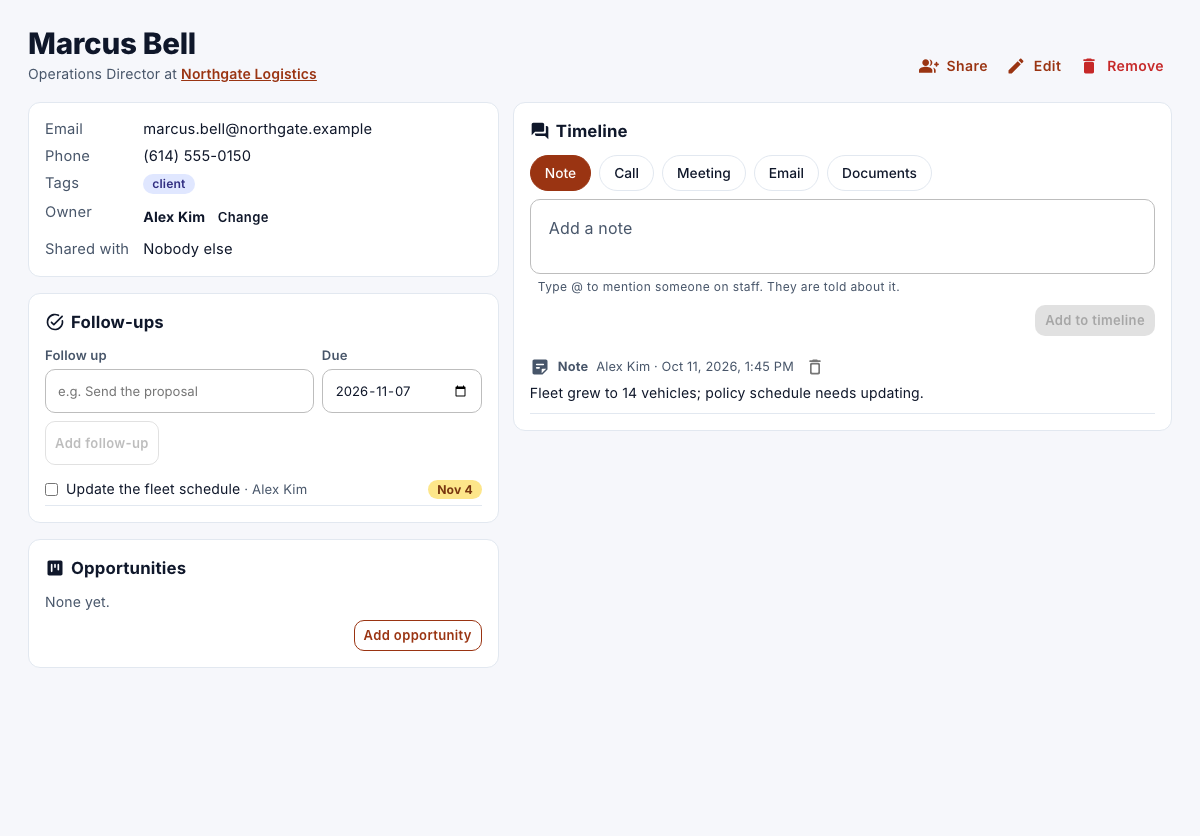
With email sync switched on, Email sends a real email through your mailbox. Without it, Email logs an email you sent elsewhere. See Log and send email from a record.
To remove an entry you added, select the remove button on it. You can remove only your own notes.
Upload a document
- Under Timeline, select Documents.
- Choose the file under Upload a document: PDF, Word, Excel, PowerPoint, text, CSV, PNG, JPEG or ZIP, up to 25 MB.
The upload is noted on the timeline, with a Download link. To remove a document, select the remove button next to it.