Manage teams
Updated October 31, 2026 · Applies to Platform ONE 1.34
Teams group your people. Each team belongs to a department, and both can have a lead:
- A team's lead approves for the people on the team who have no direct manager, and sees the team's contacts in Rolodex ONE.
- A department's lead does the same for the team leads.
Prerequisites
- The Admin role.
- The leads need a user account. See Manage users and roles.
Add a department or a team
-
In the menu, under Administration, select Teams.
-
Under Add a department, choose Department or Team in What. You can add a team once there's a department.
-
Enter the following information:
Field Description Name Required. Department names are unique; team names are unique within their department. Department For a team: the department it belongs to. Lead The user who leads it, or No lead. -
Select Add.
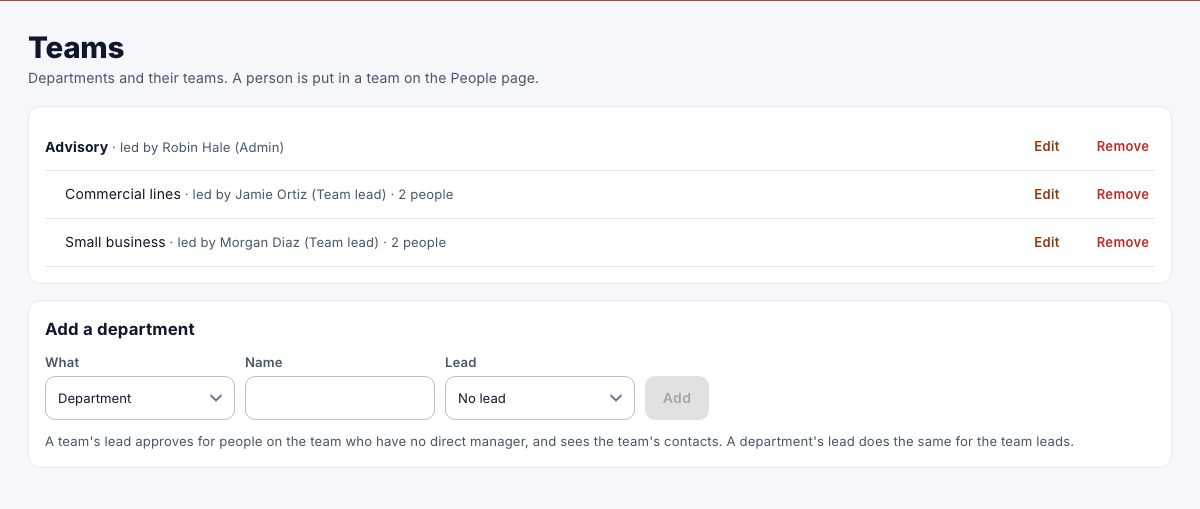
To put a person in a team, edit the person on the People page. See Manage people.
Change or remove a department or a team
- To change one, select Edit, make your changes, and then select Save.
- To remove a team, select Remove. A team that still has people in it can't be removed: move them to another team first.
- To remove a department, select Remove. Remove or move its teams first.