Manage leave balances
Updated October 31, 2026 · Applies to PTO ONE 1.34
Each person's balance follows the allowance of the type of time off. You can change it for one person: a different allowance, an opening balance from before you used PTO ONE, or days added or taken away for one year.
Prerequisites
- The Admin role. Managers can see balances, but not change them.
- A type of time off with an allowance. See Set up time off types.
Adjust a person's balance
-
In the menu, under Workspace, select Leave balances.
-
On the person's row for the type, select Adjust.
-
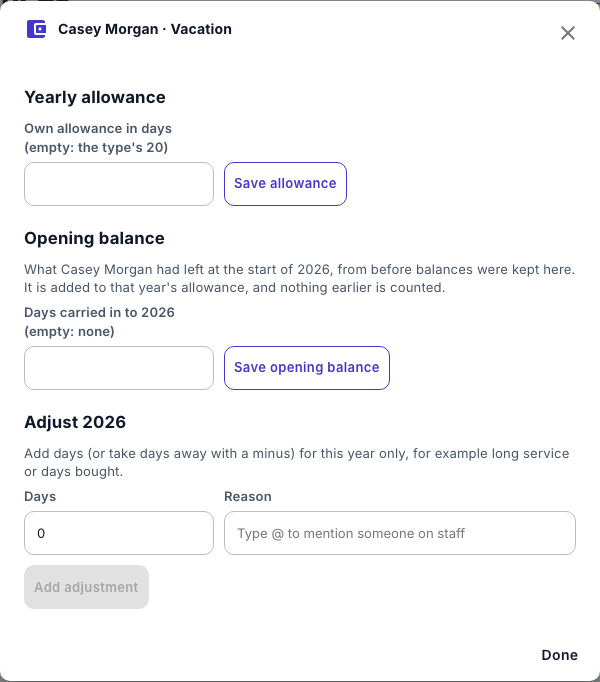
Do any of the following:
Section What to do Yearly allowance Enter their Own allowance in days, and then select Save allowance. Leave it empty to use the type's allowance. Opening balance Enter the Days carried in to the year, from before balances were kept in PTO ONE, and then select Save opening balance. It's added to that year's allowance, and nothing earlier is counted. Adjust the year Enter the Days to add, or a minus to take away, and a Reason, such as long service or days bought, and then select Add adjustment. It applies to this year only. -
Select Done.
Every change is listed under Changes, with who made it and when. To undo one, select Remove.