Quickstart: Request your first time off
Updated October 31, 2026 · Applies to PTO ONE 1.34
In this quickstart, you request a few days off and follow the request until your manager decides. It takes about 2 minutes.
Prerequisites
- A Platform ONE account linked to a person in your organization. See Sign in.
Request time off
-
In the menu, under Workspace, select Time off.
-
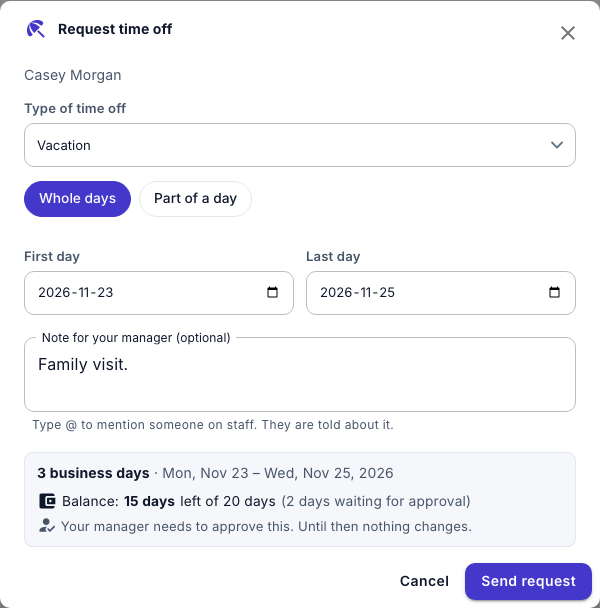
Select Request time off.
-
Choose the Type of time off, and keep Whole days.
-
Choose the First day and the Last day.
-
Check how many business days it uses, and what you'll have left.
-
Optionally, enter a Note for your manager (optional).
-
Select Send request.
Follow your request
Your request is under My time off, marked Awaiting approval. Your manager is notified. When they decide, you're notified, and the request shows Approved or Declined.