Quickstart: Set up time off
Updated October 31, 2026 · Applies to PTO ONE 1.34
In this quickstart, you set up PTO ONE so people can request time off and their managers can approve it. It takes about 10 minutes.
Prerequisites
- The Admin role.
- Your people and their accounts. See Quickstart: Set up your organization.
Link people to their managers
- In the menu, under Administration, select People.
- For each person, select Edit, choose their Account and who they Reports to, and then select Save.
Choose your types of time off
- Under Administration, select Business rules.
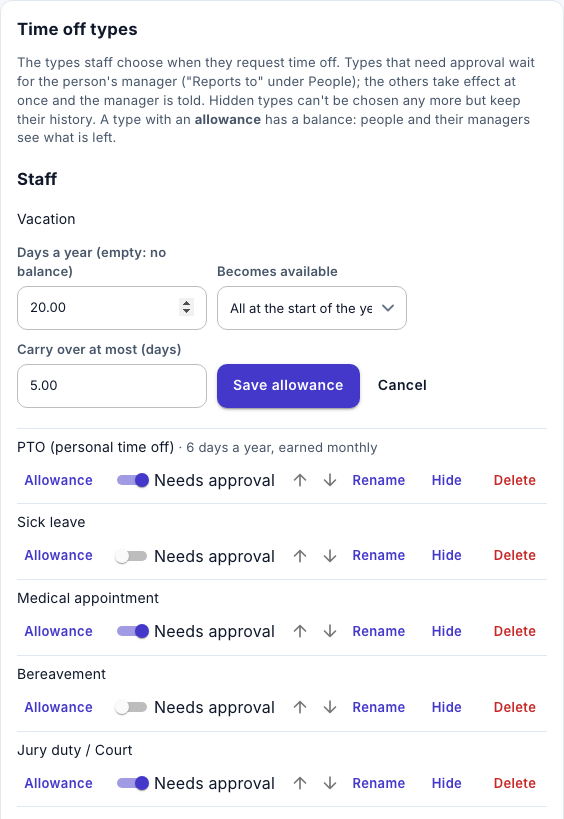
- Under Time off types, check the types listed. Rename or hide the ones you don't use, and add your own under New type.
- For each type, turn Needs approval on or off.
Give vacation an allowance
-
Next to your vacation type, select Allowance.
-
Enter the Days a year, and then select Save allowance.
Add your public holidays
- Under Administration, select Holidays, and add or import your holidays. See Manage holidays.