Quickstart: Set up Reserve ONE
Updated October 31, 2026 · Applies to Reserve ONE 1.34
In this quickstart, you set up your people, a project and a shift type. It takes about 15 minutes.
Prerequisites
- The Admin role.
- Your locations and people. See Quickstart: Set up your organization.
Set up your people
- In the menu, under Administration, select Staff & resources.
- For each person, set their Job title (their role in Reserve ONE), Skills and Working hours, and link their user account.
See Set up people and resources.
Add a project
- Under Workspace, select Projects, and then select Add project.
- Enter its name and dates, choose a Project Lead, and add the effort needed per role.
- Select Save.
Add a shift type
-
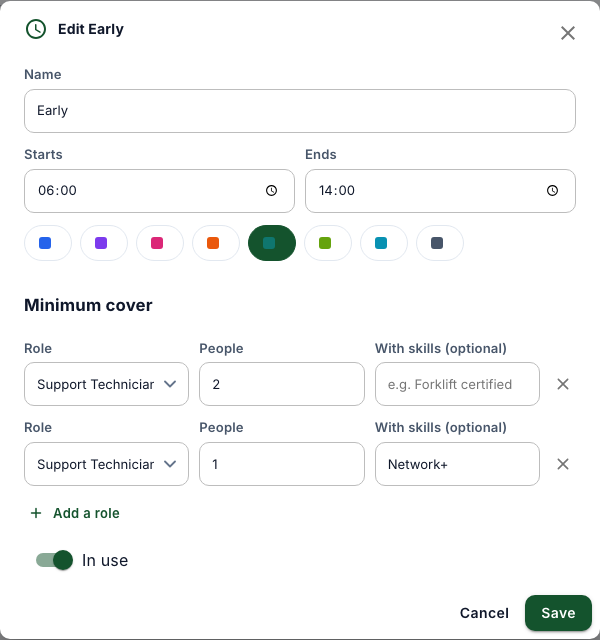
Under Workspace, select Shifts, and then select Add shift type.
-
Enter its name, start and end, and its minimum cover per role.
-
Select Save.