Use the Today page
Updated October 31, 2026 · Applies to BookIt ONE 1.34
Today is where BookIt ONE opens. It shows the day ahead and what needs your attention.
Prerequisites
- The Admin, Manager, Reception or Staff role.
Read the Today page
-
In the menu, under Workspace, select Today.
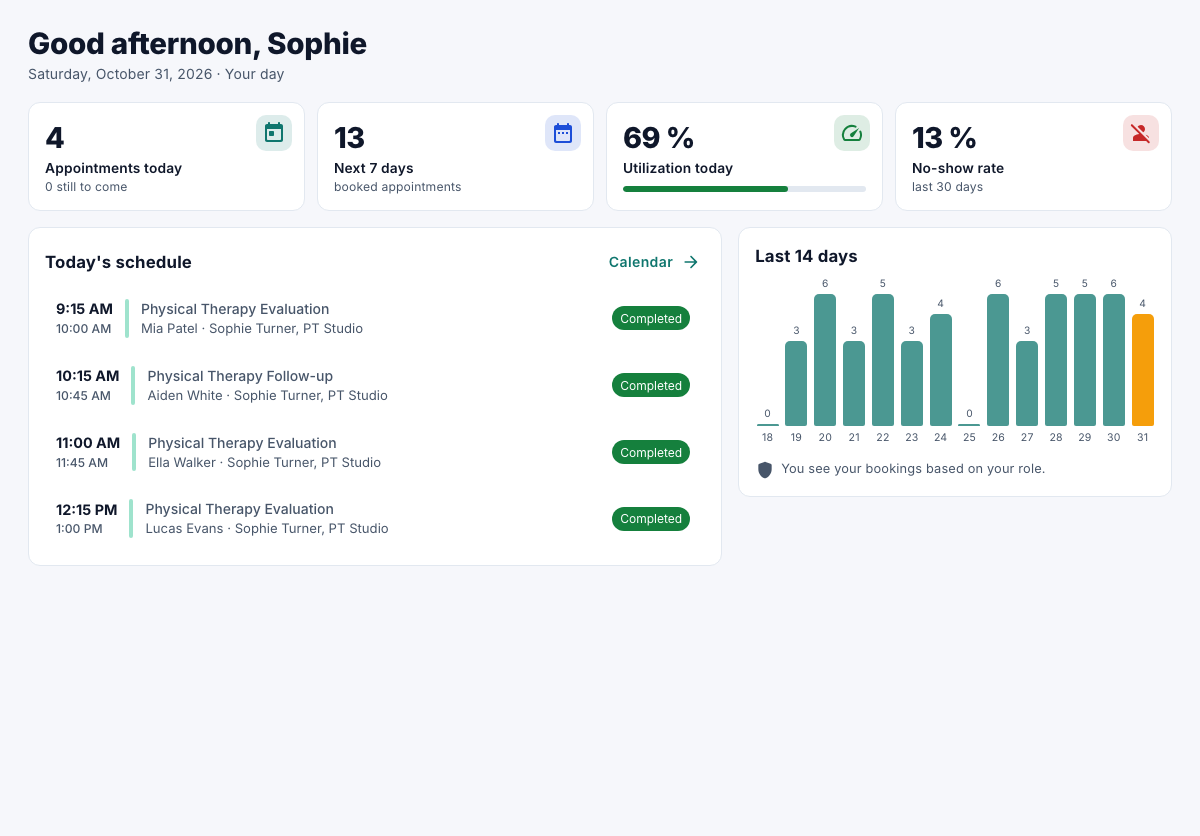
| Part | Shows |
|---|---|
| The banner | Booking requests that need approval, with Review. |
| Appointments today | How many, and how many are still to come. |
| Next 7 days | Booked appointments in the coming week. |
| Utilization today | How much of the available time is booked. |
| No-show rate | Over the last 30 days. |
| Today's schedule | Today's appointments in order, with the next one marked Next. |
| Last 14 days | Appointments per day. |
Staff see their own day. Managers limited to a location see that location; others see everything.