Manage opportunities
Updated October 31, 2026 · Applies to Rolodex ONE 1.34
An opportunity is possible business with a contact or a company: what it is, what it's worth, its stage and when it's expected to close.
Prerequisites
- The Admin, Manager, Reception or Staff role.
- At least one pipeline, set up by your administrator.
Find opportunities
- In the menu, under Workspace, select Opportunities.
- Search by name, contact or company.
- Choose a pipeline, or All pipelines, and a view: Open, Mine, Closing this month, Won, Lost or All.
You see your own opportunities, and your team's if they report to you.
Add an opportunity
-
On Opportunities, select Add opportunity.
-
Enter the following information:
Field Description What is it? Required. For example "Second location cover". Pipeline, Stage Where it is. Contact, Company Who it's with. Value, Currency What it's worth. More than one currency needs the Professional edition. Expected close When you expect it to close. Owner Who looks after it. Notes Type @to mention a colleague. -
Select Save.
You can also add one from a contact's page: under Opportunities, select Add opportunity.
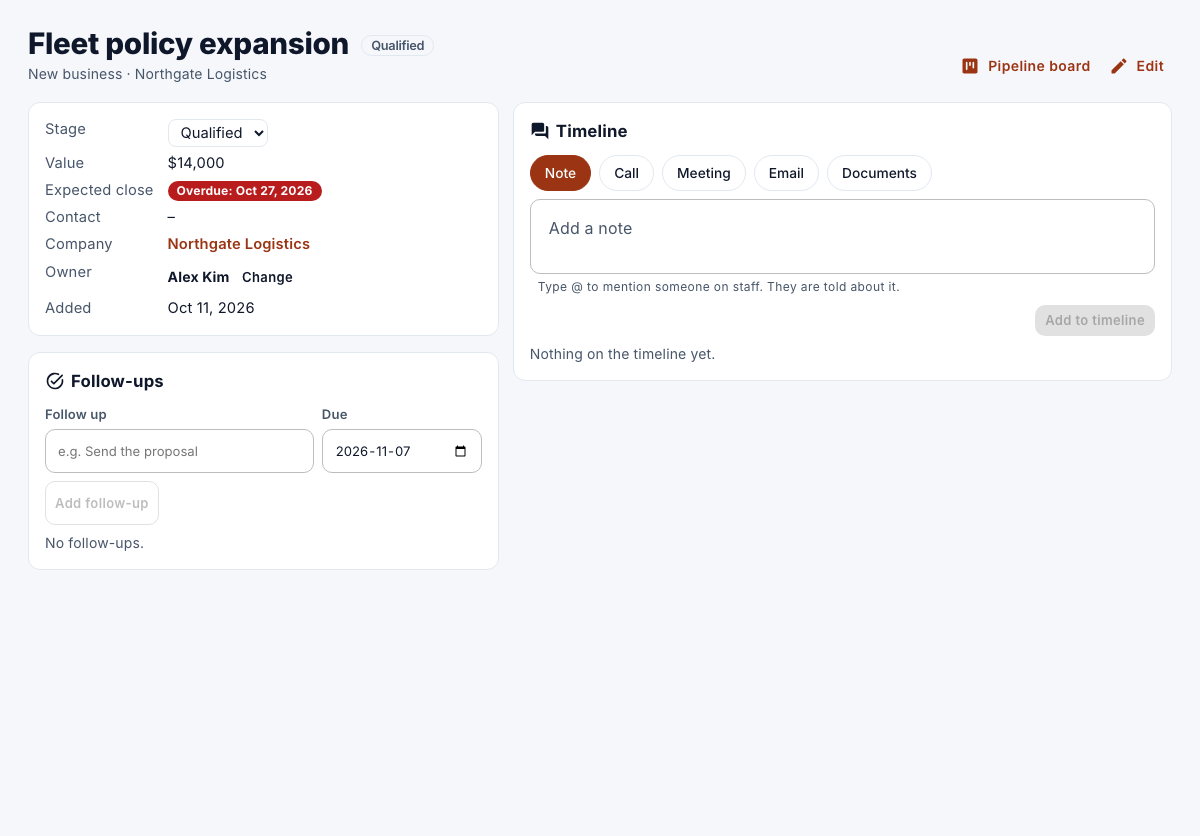
Move an opportunity to another stage
- Open the opportunity.
- Choose the new Stage.
Stages marked won or lost close the opportunity.
Remove an opportunity
- Open the opportunity, select Edit, and then select Remove.
Only the owner or an administrator can remove an opportunity.