Rename words and menu items
Updated November 5, 2026 · Applies to Platform ONE 1.45
With Labels in Studio, you use your organization's own words. A clinic might call its customers patients and its bookings appointments; an engineering firm might call its projects jobs. A word changes everywhere it's used: in the menu, page headings, table columns, buttons and messages. You can also give a menu item its own name.
Labels lists only the words of the products your organization uses. Like other Studio changes, your words are a draft until they're reviewed and published.
Prerequisites
- The Admin or Designer role.
- The Professional edition. See Plans and features.
Change a word or a menu item
-
In the menu, under Extend, select Studio.
-
On Labels, select Edit labels, or Continue editing if a draft is already open.
-
Under Words, enter your word for One, for example "appointment". More than one follows it; change it if the plural is different, for example "person" and "people".
-
Under Menu items, enter a New name for any item you want to rename. Menu items already show your new words, so you only need this for a name of your own, such as "My day" for Today.
-
To find a word or menu item, type in Find a word or menu item.
-
Enter a Change note for reviewers, select Save draft, and then select Submit for review.
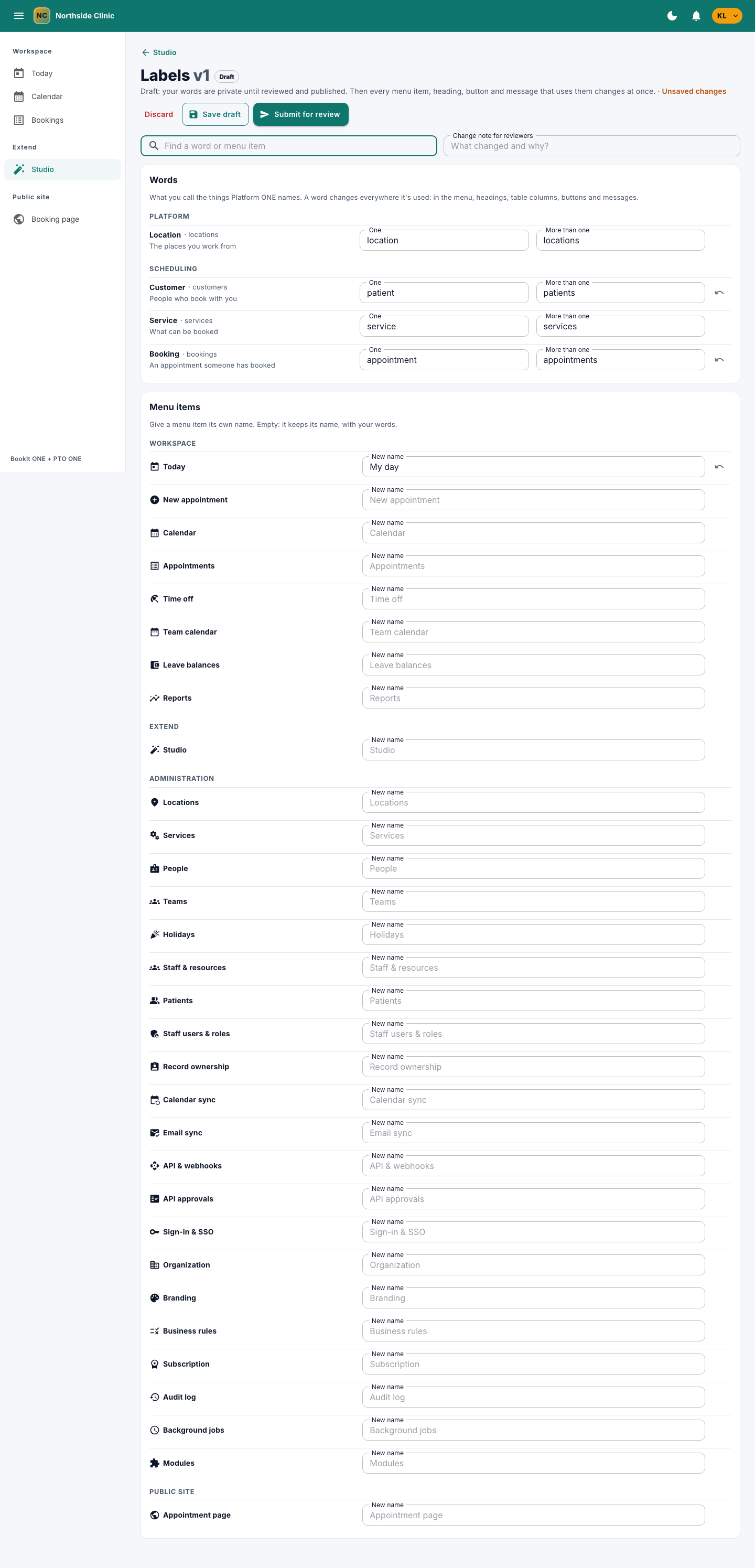
To go back to Platform ONE's word or a menu item's own name, select the reset button next to it.
Publish your words
An approver reviews the change: the review lists each word and menu item, before and after. Once it's published, your words are used everywhere straight away. See Review and publish changes.
Labels can go live with other changes in a release, and be exported and imported with them.
What doesn't change
Your words change what people read. The names used by the API and webhooks, web addresses, and the values kept in the audit log stay the same.