Quickstart: Plan someone on a project
Updated October 31, 2026 · Applies to Reserve ONE 1.34
In this quickstart, you plan a colleague on a project for a few days. It takes about 5 minutes.
Prerequisites
- The Manager or Admin role, or be the project's Project Lead or owner.
- A project. See Manage projects.
Allocate
-
In the menu, under Workspace, select Planner, and then select Allocate.
-
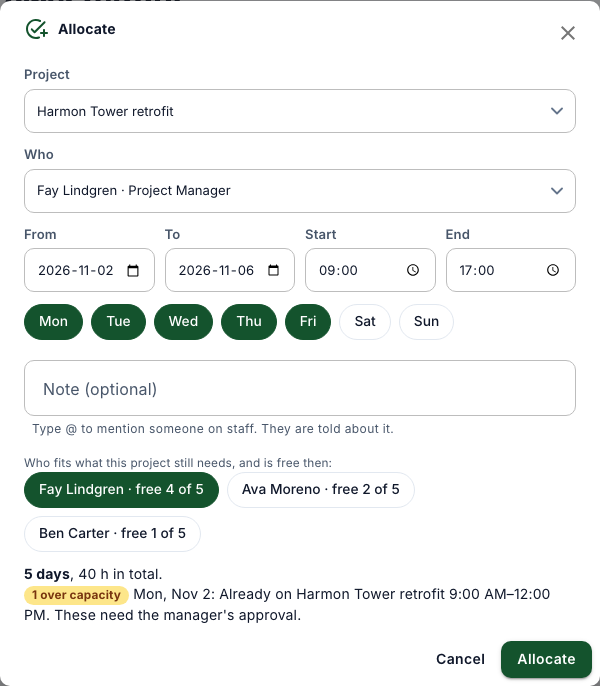
Choose the Project.
-
Under Who fits what this project still needs, and is free then, select a suggested person, or choose someone in Who.
-
Choose From and To, the Start and End times, and the days of the week.
-
Check what's in the way, and then select Allocate.
Check the planner
The planner shows the person on the project that week. Dashed entries wait for the person's manager.